Tablet or Laptop Which Works Best in 2026
-
by Admin
-
February 17, 2026
-
273 comments
-
6 Minutes read
-
106 views
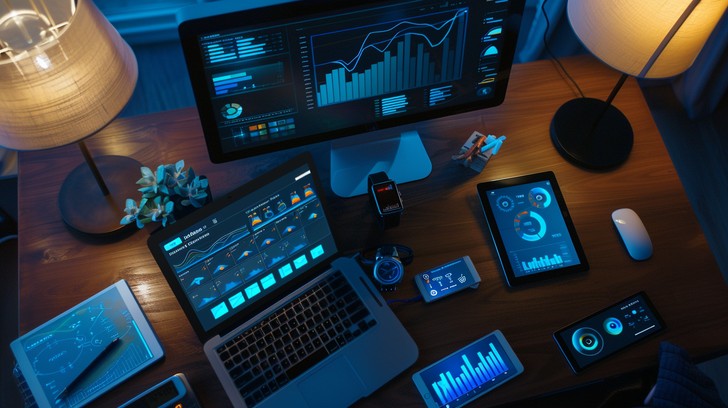
In today’s digital age, owning a device that suits your lifestyle is more important than ever. Whether you are a student, a professional, or someone who loves to browse the internet and watch movies, the debate between using a tablet or a laptop still continues. In 2026, both tablets and laptops will become smarter, faster, and more user-friendly. However, how do you know which one is right for you? The answer depends on how you plan to use your device. Do you need it to type long documents, attend online classes, or use complex software? Or do you want a handy gadget for light web browsing, streaming videos, or reading books? Tablets and laptops each come with their own set of advantages and limitations. In this blog, we will help you make a clear and informed decision by breaking down the key differences between the two. We will look at things like performance, design, battery life, software, and more, all explained in simple words.
Performance and Productivity
Laptops
Laptops are built for performance and serious productivity. They are ideal for users who handle demanding tasks such as document creation, video editing, coding, or running professional software. Most laptops come with powerful processors, larger storage capacity, and the ability to run multiple programs simultaneously without slowing down
Because of their bigger screens and full-sized keyboards, laptops provide a comfortable working experience, especially during long hours of typing or multitasking. Whether it’s office work, academic assignments, or creative projects, laptops are designed to manage high-performance activities efficiently.
Tablets
Tablets have become more capable over the years and can now handle many everyday tasks smoothly. They are suitable for note-taking, browsing the internet, attending video calls, and streaming content. However, when it comes to heavy-duty tasks like programming or advanced video editing, tablets may not perform as efficiently as laptops
Some tablets support external keyboards, but the experience still may not match the comfort of a traditional laptop keyboard for extended typing sessions. For short tasks and casual work, tablets perform well, but for intensive productivity, laptops remain stronger.
Portability and Design
Tablets
One of the biggest strengths of tablets is their lightweight and compact design. They are easy to carry, fit into small bags, and can even be held comfortably in one hand. This makes them perfect for travelers or people who are constantly on the move
The touchscreen interface adds to their convenience, making activities like reading, drawing, or watching videos more interactive and enjoyable. Tablets offer a modern, sleek design that appeals to users looking for simplicity and mobility.
Laptops
Although laptops are generally heavier than tablets, many modern models in 2025 are thinner and more portable than ever before. They fit easily into backpacks and are still practical for daily commuting.
However, laptops usually require a flat surface for comfortable use, especially for typing. While they may take up more space, they remain portable enough for students and professionals who need power on the go.
Battery Life
Tablets
Tablets are known for their impressive battery performance. Many models can operate throughout the day on a single charge. This makes them ideal for long trips, meetings, or outdoor use where charging options may be limited.
Activities like streaming videos, reading, or browsing typically consume less battery power, allowing tablets to last longer between charges.
Laptops
Battery life in laptops has improved significantly, but it often depends on usage. On average, laptops can run between 3 to 8 hours. High-performance tasks such as gaming or editing can drain the battery more quickly.
If long battery endurance is a top priority, tablets usually have an advantage in this area.
Software and Applications
Laptops
Laptops operate on full desktop operating systems, which means they support a wide range of advanced software. From professional design tools to data analysis programs, laptops provide access to complete features and applications.
They are better suited for users who require powerful tools for academic, business, or technical purposes.
Tablets
Tablets run on mobile-based operating systems designed for touch interaction. They offer thousands of apps for communication, entertainment, and light productivity tasks.
However, certain applications may not include all advanced functions available on laptop versions. For casual use and simple tasks, tablets perform well, but laptops provide greater flexibility for serious work.
Connectivity and Ports
Laptops
Laptops typically include multiple ports for connecting external devices such as monitors, keyboards, mice, cameras, and storage drives. This makes them more versatile for expanding work setups.
Tablets
Tablets generally have limited ports, often just one for charging and accessories. To connect additional devices, users may need adapters, which can be less convenient for those who rely on multiple peripherals.
Cost and Value
Tablets
Tablets are usually more budget-friendly compared to laptops. They are a practical option for users who mainly browse the internet, attend video calls, or consume media content
For individuals seeking affordability and simplicity, tablets provide good value.
Laptops
Laptops may require a higher initial investment, but they offer stronger performance and more capabilities. For students and professionals who need a device for multiple tasks, a laptop can be a long-term and worthwhile choice.
Ease of Use and Comfort
Tablets
Tablets are user-friendly and intuitive. The touchscreen interface makes navigation easy, even for children and older adults. Features like screen rotation and stylus support add convenience and creativity.
Laptops
While laptops may require more familiarity, they provide greater control and efficiency. Typing is faster and more comfortable on a physical keyboard, and larger displays reduce eye strain during extended use.
Storage Capacity
Laptops
Laptops typically offer larger internal storage, making them suitable for saving large files, software programs, videos, and documents without relying heavily on external storage.
Tablets
Tablets generally have smaller internal storage, but many support cloud-based storage solutions. While this works well for everyday use, users handling large files may find laptops more practical.
Multitasking and Keyboard Experience
Laptops:
Multitasking is one of the strongest advantages of laptops. Users can easily switch between multiple applications and windows. The full-sized keyboard enhances productivity for writing, chatting, and report creation.
Tablets
Although tablets now support split-screen features, multitasking is not always as smooth as on laptops. On-screen keyboards can also become uncomfortable during long typing sessions. External keyboards improve the experience but may still feel compact.
Conclusion
Choosing between a tablet and a laptop in 2026 depends entirely on your needs. If you prioritize portability, simplicity, and long battery life for casual activities such as browsing, streaming, and reading, a tablet is an excellent choice. It is lightweight, easy to use, and generally more affordable
On the other hand, if your work involves heavy software, extensive typing, file management, or multitasking, a laptop offers greater performance and flexibility. It provides stronger processing power, larger storage capacity, and a more comfortable work setup
Both devices have their own strengths. The key is to evaluate how you plan to use your device—whether for entertainment, travel, study, or professional tasks—and choose the one that aligns best with your lifestyle, budget, and long-term goals. With the right decision, your digital experience in 2026 can be both productive and enjoyable.
POPULAR BLOGS